CD Authoring
As of version 0.9, Bandcrash supports authoring audio CDs for use with full-disc CD imaging tools. This is primarily for simplifying on-demand manufacturing with e.g. Kunaki, but it’s also useful for simplifying DIY CD replication.
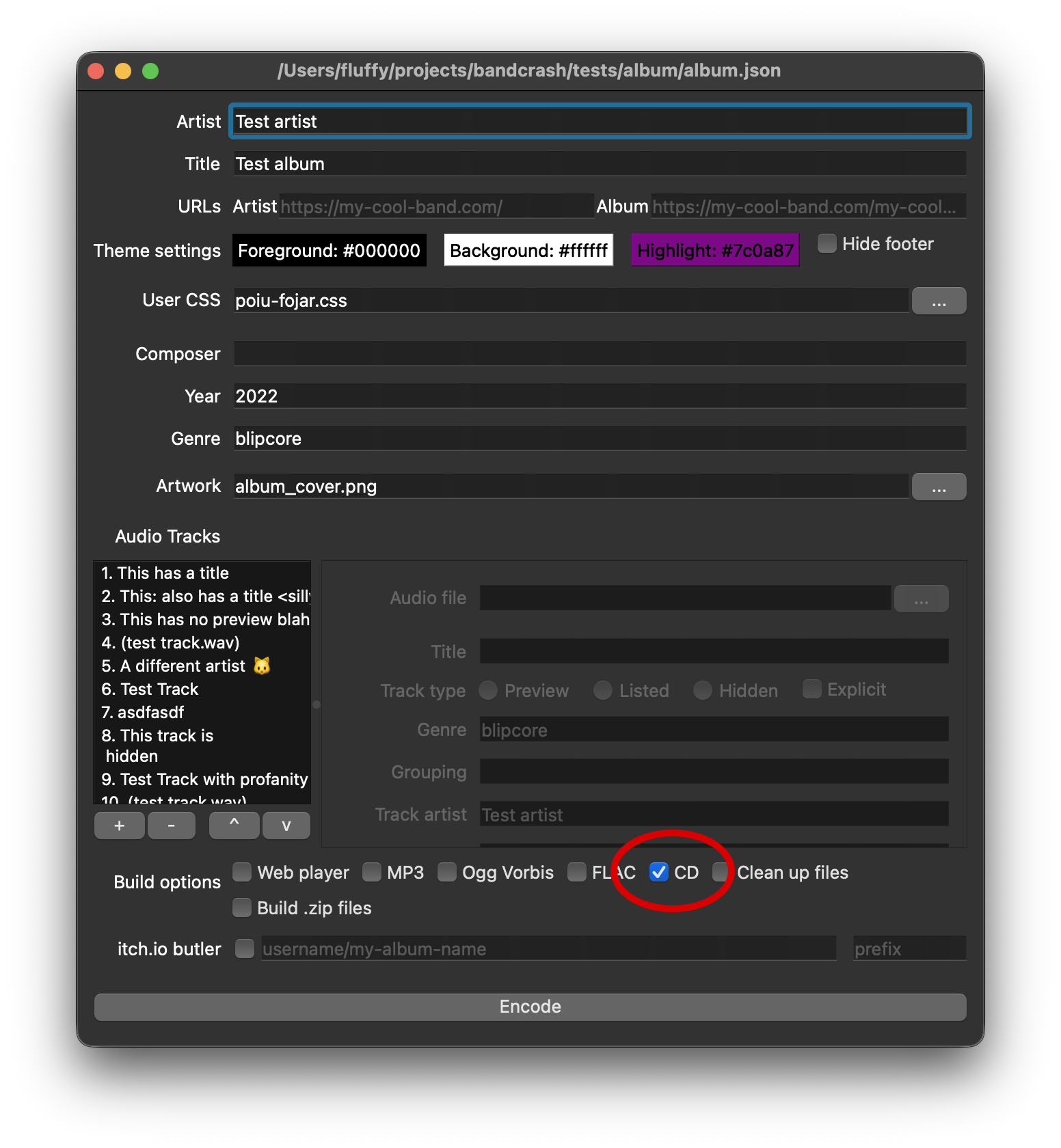
When generating CDDA output (which you do by checking the “CD” output option, as shown above), Bandcrash will generate the following files in the cdda directory:
album.bin: The raw audio track (16-bit 44100 stereo little-endian)album.cue: a CUE file for use with standard disc-at-once burning software (e.g. cdrdao, ImgBurn, and many others)kunaki.cue: a CUE file in Kunaki’s proprietary formattracklist.tsv: a tabbed-separated value file with useful information for importing into other places (such as creating album art)
Here are some things to keep in mind when using these authoring files.
Verifying playback
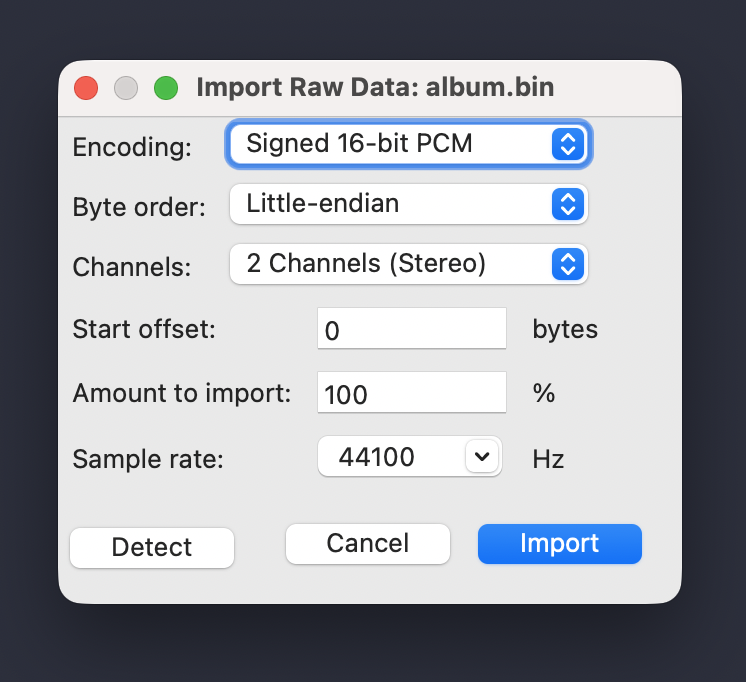
If you want to verify the correct audio on the .bin file, you can load it into something like Audacity by importing it as raw data set to 16-bit, 44100Hz, little-endian stereo:
If you prefer the command line, the ffplay tool from FFmpeg can be used to ensure that the audio is correct. You can play the album audio with the following command:
ffplay --format pcm_s16le -ar 44100 -ch_layout stereo album.bin
Kunaki uploads
When uploading to Kunaki, use the “ISO and CUE file” option. Use album.bin for the ISO and kunaki.cue for the CUE:
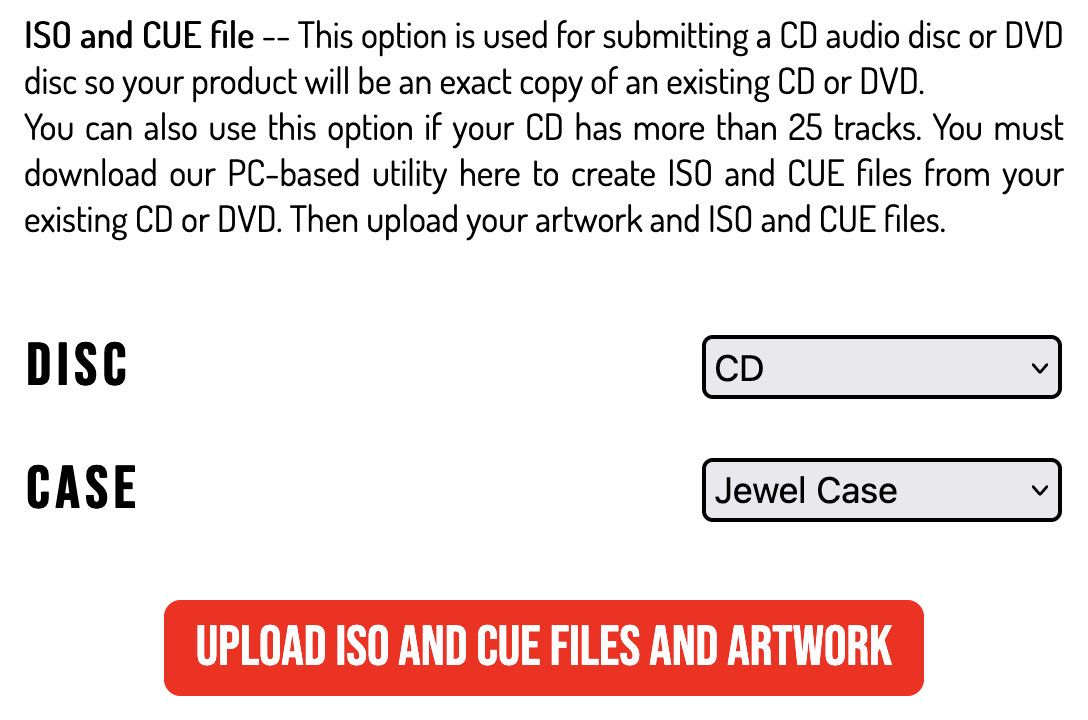

As a note, Kunaki is using imprecise terminology, as an .iso is a particular kind of a .bin but not all .bins are .isos. Further, Kunaki has what appears to be their own proprietary and undocumented .cue format, rather than using the common text-based format understood by most CD burning tools.
Kunaki .cue files do not support advanced metadata, so if you are only using Bandcrash to make CDs with Kunaki, there is no need to fill out the full album metadata; simply providing your audio files is enough.
cdrdao
The CDDA standard and most tools expect little-endian (also called LSB) audio, but cdrdao expects everything to be big-endian (aka MSB, sometimes called “Motorola”). Thus, when you burn a disc, you’ll need to specify the --swap option, for example:
cdrdao writecd --device /dev/sr0 --swap album.cue
The .cue format explicitly specifies the endianness of the file (using BINARY and MOTOROLA for little and big endian, respectively), but unfortunately, cdrdao’s parser ignores this.
ImgBurn
The .bin and .cue file work without any extra effort. Point it to the album.cue and the rest should work automatically, including CD-Text.